Behavioral Health · Unify
Complete it right the first time.
Unify gets your claims out right the first time. It is an AI-powered browser extension for your existing EHR: as teams document, Unify scans for missing fields, contradictions, and low-quality content, cross-referencing the full patient record to surface one-click fixes. No tab-switching, no separate tool, no new login.
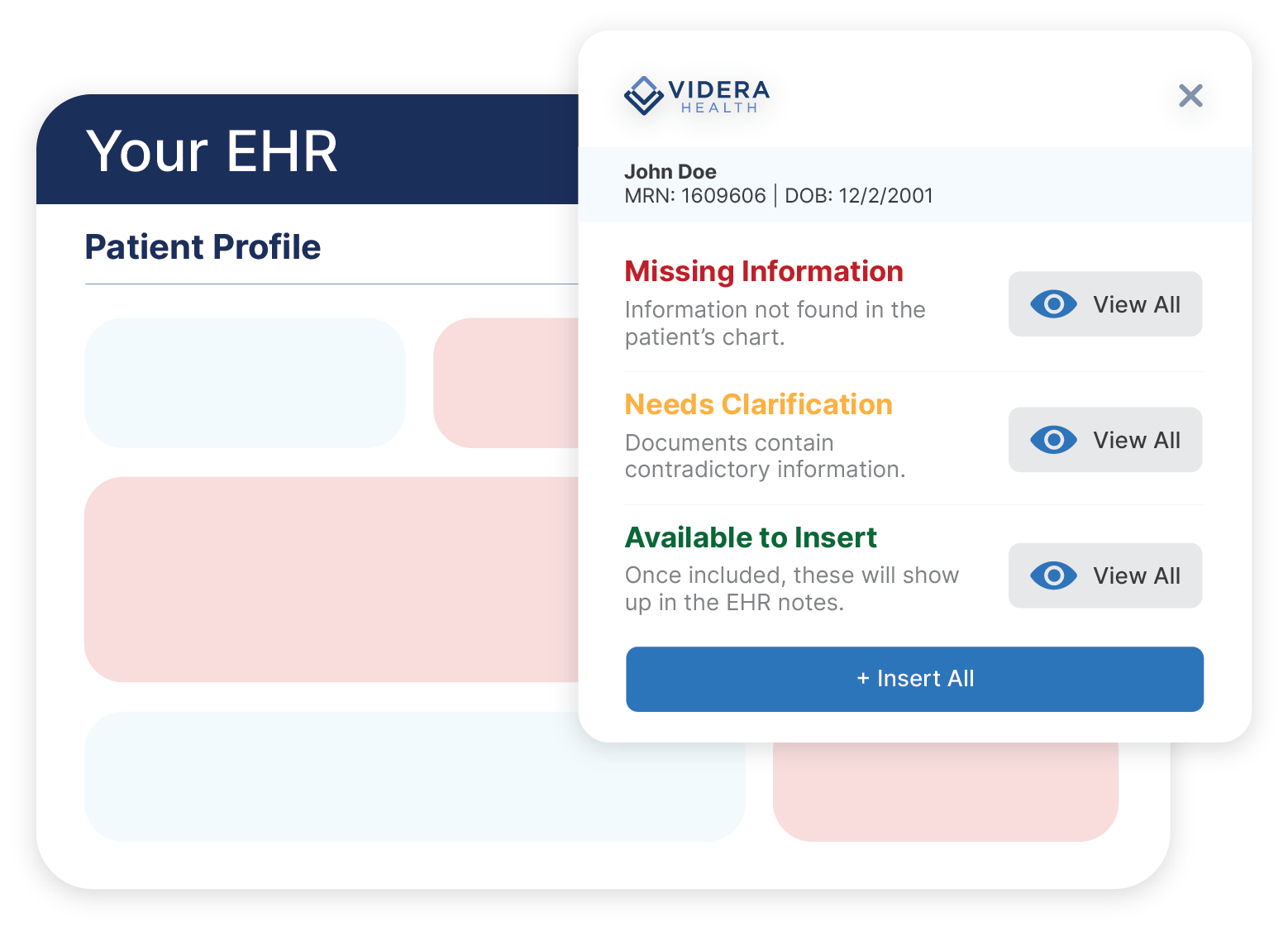
Every other tool tells you the chart was wrong after the claim came back.
Retrospective chart audits find problems weeks after the person who could have fixed them in ten seconds has moved on to forty other clients. Unify sits in the form, at the moment of documentation, with the whole record in view.
The point
Dependable reimbursement for care already delivered.
Your clinicians did the work. Unify makes sure the record says so, completely and consistently, before it leaves the building.
Three steps, and none of them involve opening another application.
Step 1
A team member opens a form in the EHR
Same EHR, same form, same login. Unify is already there.
Step 2
Unify flags gaps and pulls in prior context
It cross-references the full patient record, not just the form on screen.
Step 3
Suggestions are accepted inline
One click each, or insert them all. The form goes out complete.
Three failure modes, all of them expensive.
Documentation problems are rarely dramatic. They are a blank field, a date that does not match, and a paragraph that says the opposite of the assessment it came from.
Missing information
Required fields left blank because the form was long and nothing stopped the save.
Unify says
Discharge criteria not documented. Draft available from the ASAM assessment dated 06/14.
Contradictions
A goal that contradicts the assessment it came from, or a date the chart disputes.
Unify says
Goal statement describes abstinence maintenance; the assessment documents active use. Confirm which is current.
Low-quality content
Text that fills the box but supports no medical-necessity argument.
Unify says
Objective section is non-specific. Suggested language grounded in this week's progress notes is available to insert.
Configured to your forms, not a generic checklist
Unify is set up against your actual templates and field rules, so what it flags reflects what your program is required to document and what your payors actually read. It suggests; your team decides. Nothing is inserted without someone accepting it.
How it fits in your organization.
Commercial SUD
Documentation is the authorization argument
- →Level-of-care and medical-necessity detail checked before the form is signed
- →Cleaner packets for concurrent review and utilization management
- →Less rework in the revenue cycle, and fewer avoidable denials
CCBHC
Audit readiness as a default state
- →Consistent documentation quality across a mixed-credential workforce
- →A defensible record without a standing chart-audit committee
- →Quality-measure elements captured as care is documented, not reconstructed later
Large commercial BH
Rework does not scale, and neither do chart audits
- →Fewer forms returned for correction across every site and service line
- →Uniform documentation standards without a per-site training program
- →Faster clean-claim submission on care that was already delivered
Continue exploring Behavioral Health
Three other ways to work with Videra.
Inside your EHR, under your controls.
Unify runs as a lightweight browser extension against the EHR your team already uses, with SSO and your existing access model. It surfaces suggestions for a person to accept; it does not write to the record on its own.
Let's keep talking
Bring us the form your reimbursement depends on most.
A treatment plan, an assessment, a discharge summary. We will show you what Unify would flag on a real example from your own template, and what it would offer to insert.